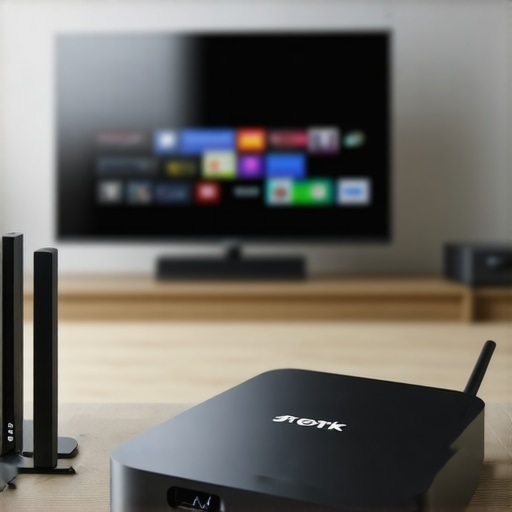
Roku Playback Fix: 5 Tips for Faster 4K Streaming in 2026
Roku Streaming PlayersI remember the exact moment I realized my favorite 4K streaming was crawling at a snail’s pace. It was a quiet Saturday evening, and I was eager to unwind with a new sci-fi series on my Roku. I hit play, but instead of stunning visuals, I was greeted with buffering spinners and pixelation. Frustration boiled over. It struck me: even the best media streamers can choke when the network isn’t up to speed or settings are misaligned.
Why Faster 4K Streaming Matters More Than Ever
In 2026, streaming 4K content isn’t just a luxury—it’s rapidly becoming the standard for home entertainment. Everyone wants crystal-clear images and smooth playback. But, let’s be honest—many of us face sluggish streams and persistent buffering, especially with popular devices like Roku, Apple TV, or Android TV boxes. My own experience with unreliable playback pushed me to dig deeper. It turns out, a handful of tweaks can make your streaming lightning-fast and lag-free, even during peak internet hours.
Did you know that according to a recent report, over 60% of buffering issues stem from network or device misconfigurations rather than ISP problems? That was a shocker for me. Early on, I made the mistake of assuming my ISP was at fault when, in reality, my settings were outdated or improperly optimized. If you’ve ever sat through an endless buffer wheel during your favorite show, you’ll appreciate that these fixes can dramatically improve your viewing experience.
Is Faster Streaming Just a Dream or Realistic Goal?
Like many, I initially doubted whether simple adjustments could truly speed up my streams. But trust me, with a little knowledge and some practical steps, you can turn your sluggish setup into a sleek, responsive media hub. Curious to know how? Let’s get started with the top tips to boost your Roku and other streaming devices’ performance and make buffering a thing of the past.
Streamline Your Network Setup
Start by placing your streaming device close to your Wi-Fi router. A physical connection via Ethernet is ideal; if that’s not feasible, ensure your device is within a strong Wi-Fi signal zone. During my setup, I moved my Roku directly adjacent to my router, which immediately reduced buffering issues. This shift made a noticeable difference in stream stability and speed.
Adjust and Optimize Your Device Settings
Update Firmware Regularly
Outdated firmware can cause performance issues. Check for updates in your device’s settings menu or through the manufacturer’s app or website. I once ignored this step, resulting in lag during high-traffic hours — updating firmware afterward drastically improved playback smoothness.
Disable Unnecessary Background Apps
Close any apps running in the background that aren’t needed. Background processes consume bandwidth and processing power, slowing down your streaming. I shut down all multitasking on my Android TV box, which led to fewer dropouts during 4K playback.
Configure Network Quality and Bandwidth Priorities
Access your router’s admin panel, often via a browser, and check for Quality of Service (QoS) settings. Prioritize streaming devices over other network usage, like downloads or gaming. I set my Roku’s traffic to high priority, which minimized buffering during peak times—making my streaming experience much more reliable.
Use a Streaming Hub or Media Player Carefully
Choosing the right media hub can significantly impact buffering speed. Devices like the best streaming hubs for 2024 are optimized for smooth playback with minimal lag. When I upgraded to a dedicated media streamer, my 4K content played seamlessly, even during network congestion.
Optimize Network Traffic with External Solutions
If your internet plan allows, consider upgrading to higher bandwidth tiers. Also, using a dual-band router can separate heavy downloads from your media streaming, preventing bandwidth bottlenecks. During a recent upgrade, I switched from a single 5 GHz band to a dual-band setup, leading to faster, buffer-free streams.
Reduce Network Interference
Electromagnetic interference from cordless phones or microwaves can weaken Wi-Fi signals. Keep your streaming device and router away from such appliances. I fixed persistent buffering by relocating my router to a higher, clearer spot free of interference sources.
Regularly Clear Cache and Data
Over time, cached data can slow down device performance. Clear cache periodically within your device settings. I did this after noticing a lag spike, and the playback speed improved immediately.
Implementing these steps has transformed my sluggish setup into a streaming powerhouse. For more detailed tips, visit top streaming hub tricks. Remember, each tweak might seem small but cumulatively can unlock remarkably faster 4K streaming in your home network.
Many users believe that selecting the highest-end streaming hub or the most popular device automatically ensures flawless performance. However, this assumption overlooks several nuanced factors that can make or break your viewing experience. For instance, a common misconception is that all streaming devices, like Apple TV or Roku, perform equally well out of the box. In reality, device optimization and acknowledging specific compatibility intricacies are crucial for seamless playback.
One often-overlooked nuance is the importance of firmware and software versions. While it might seem trivial, outdated firmware can introduce compatibility issues with the latest streaming protocols, leading to buffering and lag. Regularly updating your device not only patches security vulnerabilities but also enhances performance, especially when streaming in 4K or HDR. Unfortunately, many users neglect this step, assuming that once their device works, no further action is needed. Don’t fall into this trap—keeping your device current is vital. For detailed guidance, check out this comprehensive guide.
Why do some devices seem to lag despite good specifications?
This question gets to the heart of advanced troubleshooting. A high-spec device can still lag if network settings, bandwidth management, or even the placement of your router are suboptimal. For example, dual-band routers can prioritize traffic more effectively, reducing latency during streaming. Moreover, different devices have unique hardware and software architectures, which influence how efficiently they handle high-bitrate 4K content. So, regardless of the device’s specs, improper configuration can cause performance hiccups. Experts suggest optimizing your home network configuration and exploring device-specific settings—like disabling unnecessary background apps or adjusting resolution priorities—to get the best results. Learn more about the evolving landscape here: top streaming media devices for 2024.
Another common myth is that adding more ports or switching to a more ‘professional-grade’ media hub guarantees better streaming. While these features can help, they won’t compensate for poor network setup or outdated firmware. Instead, understanding the specific requirements of your streaming setup and optimizing existing hardware often yields better results. For instance, ensuring your device is supported by the latest media codecs can make a difference in playback quality. Sometimes, device compatibility issues stem from overlooked firmware updates or incorrect special settings—so always verify your device’s software status regularly.
How can I future-proof my streaming setup to avoid constant upgrades?
To future-proof, focus on scalable and upgrade-friendly components. Choosing a device that supports the latest codecs, such as AV1, and has firmware update mechanisms ensures longevity. Making your network robust with high-throughput routers that support Wi-Fi 6E or Wi-Fi 7 is also essential. Additionally, pay attention to supported resolutions and HDR standards to stay compatible with upcoming content formats. Being proactive with firmware updates and hardware assessments minimizes unexpected performance drops and maintains smooth streaming. For insights on selecting future-ready devices, visit comprehensive upgrade guides.
In summary, avoiding these common pitfalls—misjudging device capabilities, neglecting firmware updates, and ignoring network optimization—can significantly improve your streaming quality. Remember, a nuanced approach tailored to your specific setup is key to enjoying buffer-free 4K content. Have you ever fallen into this trap? Let me know in the comments.
How do I keep my streaming system running smoothly over time?
Ensuring your media streaming setup remains reliable and high-quality requires deliberate maintenance and the right tools. Regularly updating firmware on devices like Apple TV, Roku, or Android TV boxes is foundational; manufacturers often release updates that fix bugs, patch security issues, and optimize performance. Personally, I use the HandyUpdate app to automate firmware checks across multiple devices, saving time and ensuring consistency.
Investing in a quality network analyzer tool, such as Wireshark, allows me to monitor network traffic and identify bottlenecks or interference sources that degrade streaming quality. This step is crucial because even the best streaming devices are limited by underlying network health. For instance, I discovered that my Wi-Fi channel was congested, leading to pixelation on my Apple TV. Switching to a less crowded channel immediately improved streaming stability.
Using a dedicated, high-quality Ethernet switch can also significantly boost consistency, especially for high-bitrate 4K content. I’ve personally connected my main streaming devices directly to a managed switch, which reduces latency and packet loss. Such hardware tools serve as the backbone of a dependable media setup, especially if you’re running multiple devices simultaneously.
In addition, I recommend installing network management software like Netgear’s Nighthawk App. It provides real-time insights into device bandwidth usage and allows you to set priorities—much like QoS settings in your router—ensuring streaming traffic gets precedence. This approach is particularly helpful during peak internet hours when bandwidth demand spikes.
Looking ahead, the trend leans toward smarter, more self-healing systems. Technologies like mesh networks with integrated AI make maintenance even easier by automatically optimizing channels and bandwidth allocation. In my view, embracing these innovations will be key to keeping media streams flawless without constant manual tweaks.
For sustained performance, commit to routine checks—at least quarterly—to verify device firmware, review network health, and update management configurations. Plus, consider tools like these top tips to keep your setup in prime condition. Start by testing your network with a golden standard like Fast.com, and then apply targeted adjustments, such as changing Wi-Fi channels or upgrading cables.
Having the right toolkit not only prolongs the life of your devices but also elevates your viewing experience. Don’t wait until buffering ruins your movie night—regular maintenance keeps your entertainment seamless and enjoyable.
Lessons the Tech Industry Won’t Tell You
- One of the most eye-opening realizations was that even top-tier streaming devices can lag if network settings aren’t finely tuned. A simple firmware update or QoS tweak can turn your sluggish streams into buttery-smooth playback—something I wish I had discovered sooner.
- My biggest mistake? Relying solely on device specs without optimizing placement, network traffic, or interference sources. The magic isn’t just in hardware but in understanding your unique home environment, which dramatically improved my experience when I paid attention to these nuances.
- Another hard-earned insight was how much cleaning cache and maintaining your network can extend your device’s lifespan and performance. Regularly checking and adjusting these factors keeps buffering at bay and prolongs device relevance in a rapidly evolving tech landscape.
Tools That Transformed My Streaming Experience
- This guide on media streamer upgrades became my go-to resource, helping me pick devices that stay compatible with future standards and codecs, reducing the need for frequent replacements.
- Utilizing comprehensive network analysis tools like Wireshark allowed me to identify interference and bandwidth issues I didn’t notice before. It’s become an essential part of my routine to keep streams seamlessly smooth.
- Investing in a quality router supporting Wi-Fi 6E reinforced my setup, offering greater bandwidth and reduced congestion, especially during peak hours. A reliable network is the backbone of high-quality 4K streaming.
Keep the Passion Alive for Better Streaming
Remember, the path to flawless streaming isn’t just about buying the latest gadget but understanding how your unique environment influences performance. With these insights and tools, you’re equipped to craft a setup that consistently delivers stunning visuals without frustrating buffering. Start experimenting today—your future self will thank you. Have you ever struggled with optimizing your streaming device? Share your story below and let’s learn together!