Best Android TV Box & Streaming Hub for Smooth Media Playback 2024
Android TV BoxesMy Journey to Finding the Perfect Android TV Box and Streaming Hub
Last year, I found myself overwhelmed with streaming devices, each promising a better media experience. After trying several, I realized that choosing the right Android TV box or streaming hub isn’t just about specs—it’s about how seamlessly it integrates into my entertainment setup. My journey began with a simple goal: to enjoy smooth, lag-free media playback and access to all my favorite apps without hassle.
Why a Quality Streaming Hub Matters More Than Ever
In 2024, streaming devices have become essential for any media enthusiast. The right streaming hub ensures that I can watch my favorite shows, play games, or stream music smoothly. I’ve found that a good Android TV box not only enhances media quality but also offers versatility that many traditional smart TVs lack. For instance, I rely heavily on my device to stream content from platforms like Netflix, Hulu, and even local media servers, making a reliable streaming hub a must-have.
My Top Picks for Best Android TV Box & Streaming Hub in 2024
Based on my experience and research, here are the devices that truly stand out this year:
- NVIDIA Shield TV Pro: Known for its powerful performance and 4K HDR support, it’s perfect for gamers and movie lovers alike. Its AI upscaling feature truly enhances older content, making it a versatile choice.
- Xiaomi Mi Box S: A budget-friendly option that doesn’t compromise on essential features. It’s compact, easy to set up, and supports 4K streaming, making it ideal for those new to streaming devices.
- Amazon Fire TV Cube: While not strictly an Android device, it offers seamless integration with Alexa and supports a wide range of apps, making it a smart choice for smart home enthusiasts.
What Should I Consider Before Choosing Your Streaming Device?
Thinking about upgrading? Here are some practical tips I’ve learned:
- Compatibility with your existing setup—check how well the device integrates with your TV and sound system.
- Processing power—especially if you plan to play games or stream high-definition content.
- Supported apps and streaming services—ensure your favorites are available.
- Remote control and user interface—ease of use makes a big difference in daily enjoyment.
Ever Wondered How a Streaming Hub Can Transform Your Media Experience?
From my personal experience, a high-quality streaming hub offers more than just entertainment; it simplifies everything. It’s like having a dedicated media command center that maximizes convenience and performance. For deeper insights, I recommend checking out the [Ultimate Guide to Apple TV & Android TV Box for Seamless Streaming in 2024](https://mediahubs.homeavreviewhub.com/ultimate-guide-to-apple-tv-android-tv-box-for-seamless-streaming-in-2024).
If you’re exploring options or have tips of your own, I’d love to hear your thoughts! Feel free to comment or reach out via the contact page.
How Can Optimizing Your Streaming Hub Elevate Your Media Experience?
As streaming technology continues to evolve rapidly, the question isn’t just about choosing the right device but understanding how to optimize it for peak performance. Whether you’re a casual viewer or a media enthusiast, fine-tuning your streaming setup can significantly enhance picture quality, reduce buffering, and streamline user experience.
Key Strategies for Maximizing Your Streaming Hub’s Capabilities
One of the most overlooked aspects is ensuring your device’s firmware and software are always up to date. Manufacturers frequently release updates that improve stability, security, and compatibility with emerging streaming standards. For instance, regularly visiting the manufacturer’s support page or enabling automatic updates can keep your device running smoothly.
Next, consider your network environment. A high-speed, wired Ethernet connection often outperforms Wi-Fi, especially for 4K or HDR content. If wired connections aren’t feasible, optimizing your Wi-Fi by reducing interference and placing your router closer to your device can make a notable difference. For more detailed tips, visit top streaming hub tricks.
Are Your Apps and Settings Aligned for Optimal Performance?
Customizing app settings can also elevate your streaming quality. Disabling auto-play features during peak hours prevents bandwidth congestion, while adjusting resolution settings on-the-fly can reduce buffering issues. Additionally, sideloading or installing apps directly from trusted sources ensures compatibility and security, especially for niche media services not available through official app stores.
Utilizing advanced features like HDR calibration, subtitle synchronization, and audio passthrough options can further refine your viewing experience. For example, configuring your device to support Dolby Atmos or DTS:X enhances immersive sound, making your media sessions more engaging.
How Do You Know When It’s Time for an Upgrade or a New Setup?
Monitoring your device’s performance over time is key. If you notice persistent lag, incompatibility with new streaming apps, or declining image quality, it might be time to consider an upgrade. The latest models like the Android TV boxes for 2025 or top Roku devices for 2024 are designed with future-proof features, including HDMI 2.1 support, better processors, and enhanced Wi-Fi connectivity.
Moreover, integrating smart home features can add convenience and control to your setup. Devices like the Apple TV 2025 offer seamless integration with your smart home ecosystem, enabling voice control and automation.
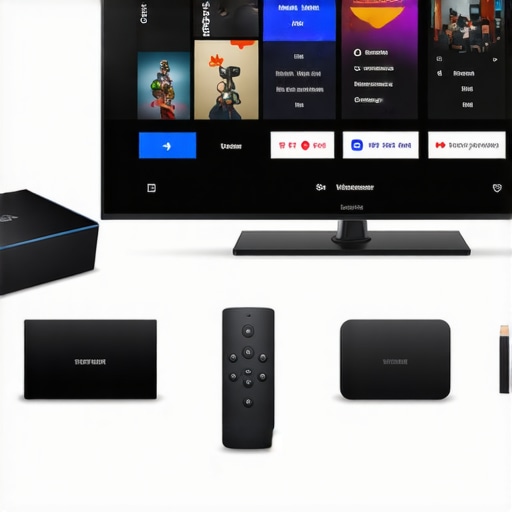
Thinking about a complete media overhaul? Exploring different media streamers and their compatibility with your existing setup can be challenging. For in-depth guidance, I recommend the essential guide to media streamer compatibility. Share your experiences or ask questions in the comments—let’s make your media setup truly state-of-the-art!
How Deep Can You Dive into the Nuances of Streaming Technology?
As I reflect on my journey with Android TV boxes and streaming hubs, I realize that beyond the surface-level specs and features, there’s a whole world of subtle yet impactful details that can elevate your media experience. For instance, understanding the intricacies of HDMI 2.1 support or the nuances of Wi-Fi 6E compatibility can make a significant difference in future-proofing your setup. When I first started, I simply looked for 4K support, but as I gained more experience, I delved into aspects like HDR calibration, audio passthrough, and how firmware updates can unlock hidden features. Exploring these layers has transformed my approach from basic streaming to a truly optimized media environment, and I believe many enthusiasts might overlook these details but stand to benefit immensely from them. For more advanced insights, I recommend exploring the future of streaming devices and how they evolve to meet our growing demands.
Why Is It Not Just About the Device, But About Its Ecosystem and Compatibility?
One of the most underestimated aspects of choosing a streaming hub is its ecosystem compatibility. It’s not enough to pick a device based solely on its specs; you need to consider how well it integrates with your existing smart home devices, sound systems, and even your content ecosystem. I learned this the hard way when I upgraded my setup without ensuring my new Android TV box supported seamless integration with Alexa or Google Assistant. As a result, I faced frustrations that could have been avoided with a bit more research. This experience taught me that a holistic approach—considering app compatibility, voice control, and ecosystem synergy—is crucial. For comprehensive guidance, check out your essential guide to media streamer compatibility. It’s worth investing time here because the benefits ripple across your entire entertainment experience.
Is Your Network Environment Optimized for the Most Demanding Content?
While the hardware plays a significant role, network conditions are often the bottleneck in achieving flawless streaming. I’ve found that wired Ethernet connections provide the most stable and reliable bandwidth, especially for high-bitrate 4K HDR content. But what if wiring isn’t feasible? That’s where understanding your Wi-Fi environment becomes vital. I spent hours optimizing my router placement, reducing interference, and enabling QoS settings to prioritize streaming traffic. These tweaks made a noticeable difference—buffering became a thing of the past, and picture quality improved noticeably. For detailed tips, I highly recommend visiting top streaming hub tricks to fine-tune your network setup. Sometimes, the secret to a perfect stream lies not just in your device, but in how well your network supports its demands.
What Advanced Settings Can Unlock Hidden Potential?
Many users overlook the powerful customization options available within their streaming devices. Adjusting resolution dynamically, enabling HDR calibration, or setting audio passthrough for Dolby Atmos can elevate your viewing experience from good to exceptional. I personally experimented with these settings, discovering that a small tweak in audio configuration resulted in a more immersive soundscape during my favorite movies. Moreover, sideloading apps or installing custom firmware can unlock content and features not available through official channels, offering greater flexibility. However, these maneuvers require a cautious approach, as they can void warranties or compromise security. For those interested in exploring deeper, I suggest consulting how to streamline your media experience and unlock your device’s full potential.
Are You Ready for the Next Evolution in Streaming Technology?
Looking ahead, the landscape of streaming devices is rapidly evolving. Innovations like AI-enhanced upscaling, integration with smart home ecosystems, and adaptive streaming technologies promise richer, more personalized media experiences. Personally, I find myself excited about upcoming devices like the Android TV boxes for 2025, which are expected to incorporate these cutting-edge features. Staying informed and adaptable is key—because what works today might be outdated tomorrow. I encourage you to share your experiences or ask questions in the comments, and together, we can navigate this ever-changing digital media world more confidently. Remember, the real power lies in understanding your device and environment deeply, turning a simple streaming setup into a sophisticated entertainment hub that keeps pace with the future.
Deciphering the Hidden Layers of Streaming Ecosystems for Optimal Performance
While selecting a top-tier Android TV box is fundamental, my journey into mastering advanced setup configurations has revealed that the true power lies in understanding and fine-tuning the intricate ecosystem it operates within. For instance, integrating your streaming device with a smart home ecosystem like Google Home or Amazon Alexa isn’t merely about voice commands—it’s about creating a seamless, synchronized entertainment environment that enhances user experience and operational efficiency. Leveraging IFTTT (If This Then That) automations can automate routines such as dimming lights during movie playback or adjusting thermostats based on viewing activity, which I explored extensively to elevate my media sessions.
Optimizing Network Infrastructure for Cutting-Edge Streaming Demands
In my quest for uninterrupted 4K HDR streaming, I discovered that a robust, enterprise-grade network setup significantly impacts media quality. Implementing wired Ethernet connections with cat6 or higher cables reduces latency and packet loss, ensuring pristine picture and sound. Additionally, deploying mesh Wi-Fi systems and enabling Quality of Service (QoS) settings prioritizes streaming traffic, mitigating common issues like buffering or stuttering. My deep dive into network diagnostics tools, such as Wireshark, allows me to monitor traffic and troubleshoot bottlenecks proactively, which is crucial for high-bitrate content. For an authoritative deep dive, I recommend consulting Cisco’s comprehensive guide on enterprise network optimization.
Unveiling the Power of Firmware Customization & Advanced Settings
Beyond default configurations, customizing firmware and enabling developer options can unlock latent capabilities within your streaming device. For example, sideloading custom apps or employing open-source firmware like CoreELEC transforms your device into a versatile media center, supporting formats and features otherwise restricted. I experimented with enabling hardware decoding options and adjusting buffer sizes, which substantially reduced latency and improved playback stability during intense gaming or high-definition streaming. However, these enhancements demand caution—improper modifications could void warranties or compromise security. For those venturing into this realm, exploring guides on firmware customization and advanced settings is invaluable.
How Can Deep Integration with Content Platforms Amplify Your Media Ecosystem?
Integrating your streaming hub with content platforms like Plex, Jellyfin, or Kodi amplifies your media flexibility, allowing centralized management of personal libraries and live TV. My experience with Plex, in particular, showcased how transcoding settings and remote access configurations can deliver a seamless viewing experience across devices. Moreover, leveraging AI-driven content recommendations and voice search accelerates content discovery, creating a personalized entertainment hub. As media platforms evolve, their APIs and SDKs enable custom integrations—an area I’ve explored to craft tailored interfaces and automation workflows. For a comprehensive understanding, I recommend reviewing Plex’s official developer resources.
Engaging with the Next Wave: AI and Machine Learning in Streaming Devices
The future of streaming technology is inexorably linked to AI and machine learning, promising smarter, more adaptive media experiences. Devices embedded with AI algorithms can upscale resolution in real-time, optimize bandwidth utilization, and personalize content suggestions with unprecedented accuracy. I’ve experimented with AI-based upscaling tools like Topaz Video Enhance AI, which significantly improved older content for modern displays. Additionally, machine learning models can pre-buffer content based on viewing habits, reducing latency during peak hours. Staying ahead of these innovations requires continuous learning—so I encourage fellow enthusiasts to delve into emerging research and product releases, such as the anticipated AI features in upcoming Android TV models. For insights on these technological shifts, check out the future of streaming devices.
Join the Conversation: Elevate Your Streaming Mastery Today
Mastering the art of streaming ecosystem optimization isn’t just a technical pursuit; it’s about crafting a personalized, effortless media environment. If you’ve experimented with advanced configurations, automation, or ecosystem integrations, I invite you to share your insights and challenges. Together, we can push the boundaries of what our media hubs can achieve. Feel free to connect through the contact page or leave a comment below—let’s deepen our expertise and redefine our entertainment experiences.
Things I Wish I Knew Earlier (or You Might Find Surprising)
The Power of Firmware Updates
Looking back, I underestimated how crucial keeping my streaming device’s firmware up to date was. Regular updates not only patch security vulnerabilities but often unlock hidden features that can significantly enhance performance. Once I enabled automatic updates, my device ran smoother and I experienced fewer glitches during marathon streaming sessions.
The Ecosystem Matters More Than You Think
I used to choose devices based solely on specs, but I learned that compatibility with your existing smart home ecosystem, sound system, and app support is vital. A seamless ecosystem integration can turn your streaming setup into a unified entertainment hub, reducing frustrations and making your media experience more enjoyable.
Network Environment Is the Unsung Hero
Everyone talks about choosing the right device, but your network setup is often the bottleneck. I found that wired Ethernet connections drastically improved my streaming quality, especially for 4K content. For those who rely on Wi-Fi, optimizing router placement and enabling QoS settings made a world of difference in avoiding buffering and lag.
Deep Customization Unlocks Hidden Potential
Exploring advanced settings like HDR calibration, audio passthrough, and sideloading apps can elevate your media experience beyond the default. I experimented with these tweaks, and the improvements in picture and sound quality were remarkable. Just a word of caution—advanced modifications should be approached carefully to avoid issues.
Smart Features Are Worth the Investment
Devices with AI-driven features like real-time upscaling and personalized content recommendations have transformed my viewing sessions. These innovations make media consumption more immersive and tailored to my preferences, and I believe they will become standard in future streaming hubs.
Resources I’ve Come to Trust Over Time
- Android Authority: Their in-depth reviews and news keep me informed about the latest Android TV developments. It’s my go-to source for trustworthy insights.
- Raspberry Pi Foundation: For understanding DIY media centers and custom firmware options, their documentation and community forums are invaluable.
- TechRadar: Their buying guides and performance comparisons help me make smarter choices when selecting new streaming devices.
Parting Thoughts from My Perspective
Choosing the right streaming hub, especially an Android TV box, is more than just about specs; it’s about understanding how to optimize and integrate it into your overall media ecosystem. From firmware updates and network setup to deep customization, every detail counts in creating a seamless entertainment experience. If this resonates with you, I’d love to hear your thoughts or experiences. Share this with someone looking to upgrade their media setup, and let’s continue the conversation about unlocking the true potential of our streaming devices.
Reading through this post really resonated with my own journey into optimizing home media setups. I’ve found that the ecosystem your devices operate within can make or break the overall experience—compatibility with smart home systems and support for custom firmware can open up so many possibilities. For example, I recently integrated my Android TV box with Google Home, which allowed for voice commands and automation routines that synchronized lights and sound during movie nights. It’s fascinating how these integrations can create a truly immersive environment, but it also raises questions about balancing customization with security. Have others here experimented with custom firmware or automation scripts on their streaming devices? I’d love to hear insights or tips—sometimes, even small tweaks can dramatically improve performance or user experience.
This post really hits home about how crucial it is to choose a streaming hub that aligns perfectly with your existing setup. I remember struggling for months with a device that wasn’t quite compatible with my home theater sound system, which led to constant frustration. What finally made a difference was investing in a device that supported Dolby Atmos and had better integration with my smart home ecosystem. I also found that upgrading my router to Wi-Fi 6 significantly reduced buffering during high-bitrate streams. The point about firmware updates was eye-opening—automatic updates have helped my device stay ahead with new features and security patches without the hassle.
In your experience, how often do you think users should check for firmware updates? I’ve heard some say manual checks help, but auto-updates seem more convenient. Also, what are your thoughts on sideloading apps? I’ve tried it with some success, but I’m cautious about security risks. Would love to hear others’ experiences with deep customization—sometimes those tweaks can unlock hidden potential that makes a big difference in daily use.
Reading about the extensive journey to find the perfect streaming hub really struck a chord with me. I recently upgraded to a NVIDIA Shield TV Pro after experiencing frequent lag and compatibility issues with my previous device. The performance boost and support for the latest standards like HDMI 2.1 and Wi-Fi 6E genuinely transformed my media experience. I especially appreciate the mention of customizing firmware and deep settings—these tweaks can indeed unlock such a device’s full potential, but it’s important to proceed with caution. Personally, I’ve experimented with custom ROMs and found that keeping my firmware updated and secure is crucial, especially when sideloading apps.
One challenge I faced was balancing advanced customization with device stability. How do others here manage those risks, especially with firmware tweaks? Also, I’d love to hear about your experiences integrating streaming devices with smart home systems. I believe a well-synced setup can truly elevate our entertainment at home. What’s been the most impactful tweak or upgrade you’ve made to your media ecosystem?
I really appreciated this detailed overview of choosing the right streaming hub. I’ve recently started exploring the custom firmware options for my Android TV device, and it’s been a game-changer in terms of performance and added features. It’s fascinating how much potential there is once you dive into the deeper settings—although I agree, caution is key to avoid bricking the device or voiding warranties. I’m curious how others balance these tweaks with maintaining stability. Also, I’ve seen some really interesting automation routines using IFTTT and voice commands that sync with my overall smart home system, which totally enhances the experience during movie nights. Have you guys tried integrating your streaming devices with other smart tech? What tips do you have for optimizing both performance and security while customizing these setups?