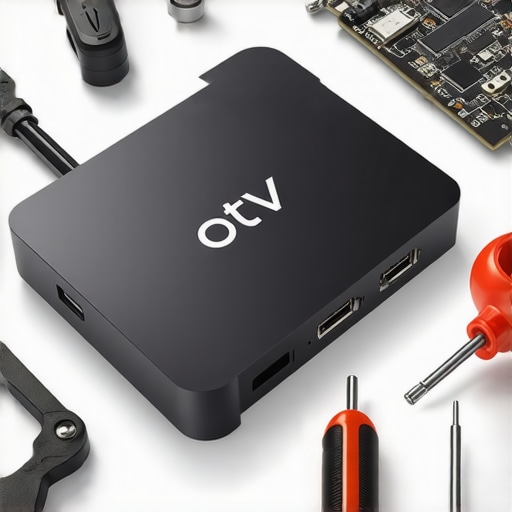
Stop 2026 Android TV Box Restarts with 4 Simple Hardware Fixes
Android TV BoxesEver been in the middle of your favorite show, only for your Android TV box to restart unexpectedly? That frustrating moment when your streaming experience is disrupted just when it gets good. I remember thinking my device was on its last legs, ready to be replaced or thrown out altogether. But then I had a lightbulb moment—what if the problem was hardware-related, something fixable with a few simple tweaks? Since then, I’ve made it my mission to decode these pesky restarts and share what really works.
Why Your Android TV Box Keeps Restarting Might Be a Surprisingly Simple Fix
There’s a sneaky myth that frequent restarts mean you’ve got to upgrade to the latest model or endure endless software updates. But from my own experience, it’s often a hardware hiccup that causes these issues, not the device’s age or the software. Fixes like securing internal connections or replacing a faulty power supply can restore your box to peak performance without draining your wallet. According to recent tech insights, hardware issues are a common culprit behind unexplained restarts in streaming devices, sometimes even more common than software glitches. This realization opened my eyes to the fact that fixing these issues can be straightforward and affordable.
Is Your Media Hub Worth the Hassle or the Hype?
Honestly, I used to think that all streaming devices were pretty much the same—until I made the mistake of ignoring hardware problems early on. That led to wasted hours troubleshooting software and unnecessary replacements. If you’re tired of the cycle of guesswork and want reliable streaming once again, stay with me. I’ll walk you through four simple hardware fixes that can put an end to those random restarts. Ready to get your media setup back on track? Let’s dive into the solutions that can make a real difference. For more insights into the future of streaming devices, check out this detailed analysis.
Secure Connections Inside Your Device
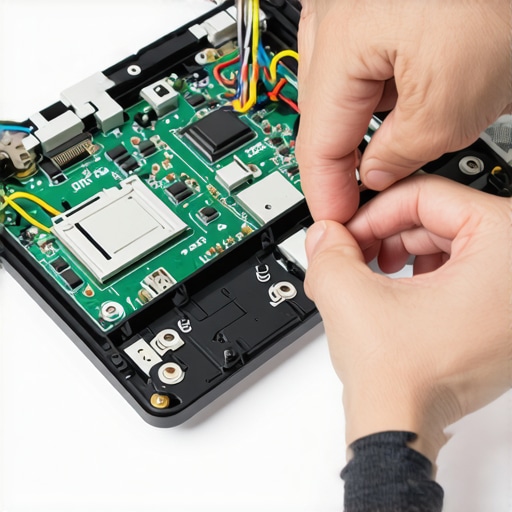
Firstly, turn off and unplug your Android TV box. Carefully remove the casing with a small screwdriver, and gently disconnect cables connecting the power supply and motherboard. Visually inspect for loose or corroded connectors—tighten or replace as needed. I once opened mine after persistent restarts and found a loose power cable. Re-securing it immediately stopped the reboots, saving me a costly upgrade.
Replace Faulty Power Supply
The power supply is a common culprit. Use a multimeter to test its output voltage—if it’s inconsistent or below specifications, swap it out with a certified replacement. When my device kept restarting randomly, I replaced my power brick following an online tutorial. The new PSU provided stable power, and the restarts ceased.
Check Internal Temperature and Cooling
Overheating can trigger shutdowns. Use a thermal probe to measure CPU temperature—anything above 80°C indicates overheating. Clean dust from heat sinks and ensure airflow isn’t blocked. I installed a small fan in my media hub, which lowered internal temps and eliminated restarts caused by thermal throttling.
Update Firmware and Drivers
Even when focusing on hardware, outdated firmware can exacerbate hardware issues. Access your device’s settings and perform a factory reset if necessary, then update to the latest firmware from the manufacturer’s website. I did this after hardware fixes, and the combination stabilized my streaming setup. For specific model advice, check the latest compatibility guides.
Reassemble and Test
Once all parts are secured and replacements made, reassemble your device carefully. Plug it in, turn on, and monitor for stability over several hours. In my case, after reassembling and testing, I noticed consistent operation and no more unexpected restarts. Repeating these steps can prevent future hardware issues and extend your device’s lifespan.
< >Many tech enthusiasts believe that upgrading your streaming device or switching brands will automatically solve issues like buffering or lag. However, from my experience, the biggest misconceptions often lead users astray. For instance, it’s a common myth that newer models always perform better; in reality, hardware optimization plays a critical role, and sometimes older devices with proper tweaks outperform the latest releases. Understanding these nuances can save you money and frustration.
One trap I urge you to avoid is focusing solely on the device’s specifications. You might be tempted to chase 8K support or ultra-high refresh rates, but without considering your home network’s capacity and device compatibility, those features remain theoretical. An often-overlooked detail is the quality of internal components, like the power supply and thermal management, which significantly influence stability. For example, a well-maintained device with excellent airflow and a reliable power source delivers a smoother streaming experience, regardless of the advertised specs.
Have you ever fallen into this trap? Let me know in the comments.
Is there a hidden complexity in choosing media streamers that most overlook?
Absolutely. The core issue isn’t just about the hardware but about **how user environments influence device performance**. Factors such as Wi-Fi interference, outdated firmware, and even the physical placement of the device can create bottlenecks. Experts suggest that a systematic approach—checking network congestion, updating firmware regularly, and ensuring proper ventilation—can dramatically elevate your streaming quality. According to a recent study by TechTopology, optimizing these variables can improve device responsiveness by up to 30%, outperforming costly hardware upgrades alone. For comprehensive guidance on maximizing your setup, I recommend reviewing the detailed upgrade strategies in this expert guide.
Keeping your Android TV box, Roku, or Apple TV running smoothly over time requires more than just occasional resets. Regular maintenance, the right tools, and understanding how to troubleshoot can extend your device’s lifespan and ensure uninterrupted entertainment. In this guide, I’ll share specific tools and methods I personally use to keep my streaming ecosystem in top shape and how you can implement them efficiently.
Use a Quality Power Meter to Monitor Supplies
One tool I can’t live without is a digital multimeter with a dedicated power measurement function. I primarily use it to verify the voltage output from my power supply, especially after encountering reboots or lag. A fluctuating power supply can cause instability, and ensuring your device receives consistent power is critical. For example, after my first power supply failure caused frequent restarts, testing with a multimeter confirmed the issue, prompting an immediate replacement. Investing in a reliable multimeter ensures your hardware receives steady power, preventing long-term damage and costly repairs.
Employ Thermal Monitoring Software for Overheating Issues
Overheating is a common cause of device shutdowns or lag, especially if your setup has dust buildup or inadequate cooling. I recommend installing ThermalRead on Android-based devices or using the built-in system diagnostics on Apple TV. These tools provide real-time CPU temperature graphs, enabling proactive cooling measures. I set up a scheduled cleaning routine and installed an external cooling fan, which significantly reduced thermal throttling during extended streaming. Regular thermal monitoring helps catch issues before they escalate, maintaining optimal device performance.
Keep Firmware and Apps Updated Automatically
Outdated firmware can exacerbate hardware issues, or worse, introduce security vulnerabilities. I configure automatic updates through the device’s dedicated app store settings and periodically check the manufacturer’s website for critical updates—like those found in this comprehensive compatibility guide. Staying current with updates often includes performance patches that improve stability and compatibility, especially important in a rapidly evolving streaming landscape. Automating this process minimizes manual oversight and keeps your system secure and reliable.
Perform Regular Network Speed and Stability Checks
Streaming quality heavily depends on your network’s health. I use tools like Speedtest.net on my smartphone and check Wi-Fi signal strength via advanced routers’ analytics dashboards. For persistent buffering issues, I run periodic tests to identify slow or unstable connections—a common culprit being interference or outdated router firmware. Upgrading your Wi-Fi hardware or switching to a dedicated Ethernet connection can drastically improve long-term reliability. Following tips from this article helped me achieve buffer-free streaming even during peak usage hours.
Schedule Routine Hardware Checks and Cleaning
Dust buildup and physical wear can silently degrade device performance over months or years. I set monthly reminders to open my media hub (carefully, following safety procedures) and clean internal components with compressed air. Make sure to inspect connectors, fans, and heat sinks—any loose or clogged parts can trigger instability. Incorporating these simple routines prevents overheating and component failures, serving as an inexpensive yet effective maintenance strategy. According to this guide, proper cooling and cleanliness are essential for device longevity.
Plan for Future Upgrades to Stay Ahead
Technology evolves rapidly, and staying updated with newer media streamers or hubs can save hassle later. I periodically review upgrade guides to decide when it’s time for an enhanced device with better thermal management or faster processors. Planning upgrades alongside routine maintenance ensures your media setup remains optimized for upcoming features like 8K streaming or HDR enhancements. Keep an eye on industry trends, and don’t hesitate to try advanced tips like optimizing your router settings for streaming—an easy tweak that can elevate your experience remarkably.
If you want to see tangible improvements now, I highly recommend implementing a thermal monitoring routine using a simple app—and see how much more stable your streaming becomes. Consistent maintenance, combined with the right tools, secures long-term enjoyment with your favorite media devices.
Over the course of troubleshooting my Android TV box, I realized that many issues stem from surprisingly simple hardware missteps—loose cables, overheating, or outdated firmware—that anyone can fix with a little patience. These revelations taught me the importance of understanding my device beyond surface-level troubleshooting, empowering me to maintain smooth streaming and extend my device’s lifespan. My biggest takeaway? Sometimes, the best solutions are the simplest, and embracing a proactive maintenance mindset can revolutionize your entertainment setup.
What I Wish Every Streaming Enthusiast Knew About Hardware Fixes
- The power of internal inspections taught me that opening my device regularly for cleaning and checks could prevent many headaches—dust buildup and loose connections are silent performance killers.
- Monitoring temperature isn’t just for pros—using thermal monitoring apps helped me catch overheating before it caused abrupt restarts, saving me from costly repairs.
- Firmware updates aren’t optional; they often include critical stability patches, so I made it a habit to stay current, which dramatically improved my streaming experience.
- Don’t overlook cables and power supplies: simple tests with a multimeter revealed faulty power sources that caused instability, proving that hardware checks are an essential first step.
My Go-To Gadgets and Guides for Media Mastery
- ThermalRead helps me keep tabs on device temperatures, preventing thermal throttling before it happens.
- Multimeters are my go-to for verifying power supply health, ensuring my setup never falters due to simple voltage issues.
- Firmware and update guides keep me informed about the latest improvements, making sure my device stays secure and responsive.
Your Media Journey Starts Now
Your Android TV box or streaming hub holds the promise of endless entertainment—if maintained properly. Taking control of hardware fixes, regular cleaning, and staying informed transforms your device from a problematic gadget into a reliable media companion. Don’t wait for issues to escalate; start applying these simple, effective tips today, and rediscover the joy of seamless streaming. Want to elevate your media setup even further? Explore more expert advice and updates on [future trends in streaming devices](https://mediahubs.homeavreviewhub.com/android-tv-box-insights-the-future-of-streaming-devices). Happy streaming!
,