Ultimate Guide: Best Apple TV & Streaming Devices for 2024
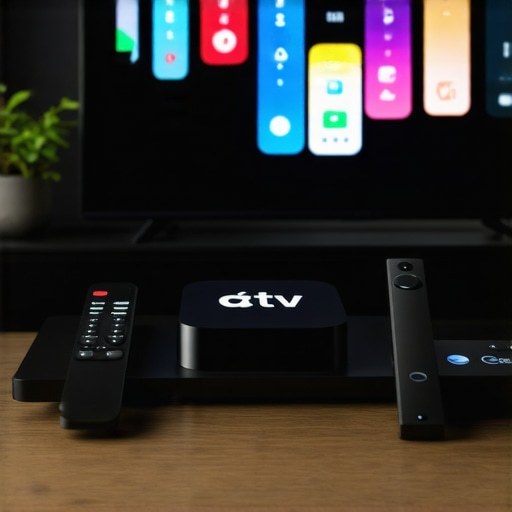
Apple TV DevicesI’ll admit it — there was a moment when I was ready to toss my media streamer out the window. It was late at night, my favorite show buffering endlessly, and I could feel my frustration bubbling over. That lightbulb moment hit me hard: mastering the right streaming devices isn’t just about having the latest gadgets; it’s about creating a seamless, frustration-free entertainment experience. If you’ve ever felt that sinking feeling of wasted time fiddling with your setup or questioning whether your equipment is worth it, you’re not alone.
Why Getting Your Streaming Devices Right Matters Now More Than Ever
Streaming technology evolves rapidly, and with countless options on the market—from Apple TV models to Android TV boxes and Roku devices—making the right choice can feel overwhelming. The stakes are higher too: in 2024, more of us rely on these devices not just for entertainment, but for work, education, and staying connected. According to a recent report, over 80% of households now use a media streamer regularly, making it essential to pick devices that align with our viewing habits and technical needs.
Early in my streaming journey, I made a critical mistake: I bought a popular device based solely on its hype without considering compatibility or performance in my specific setup. That oversight led to constant buffering, app crashes, and a whole lot of frustration. It was only after I took a step back, researched my options, and understood what features I truly needed, that my viewing experience improved dramatically. For those still feeling stuck, I promise, there’s a way to get this right without wasting your hard-earned money or your patience.
Is It Really Worth the Hype? The Truth About Streaming Devices
Many fall into the trap of assuming the most popular or expensive device is automatically the best fit. But the truth is, each home entertainment setup is unique. The key is understanding your specific needs—whether it’s 4K quality, gaming capabilities, or app availability—and choosing accordingly. To help you avoid the pitfalls I faced, I’ll walk you through practical steps on how to select the best streaming device for your lifestyle. Ready to transform your media experience? Let’s dive in!
Assess Your Home Setup and Identify Priorities
Start by taking a close look at your existing entertainment setup. Determine which features matter most: do you prioritize 4K resolution, gaming capabilities, voice control, or app variety? For example, I once realized that my older Android TV box lacked the latest apps I wanted, leading me to upgrade to a newer model. Document what your current setup is missing or underperforming to guide your choices.
Match Devices to Your Viewing Habits
Think about how you use your media streamer daily. If you binge-watch streaming services, prioritize devices with a smooth UI and fast loading times. For instance, I found that Roku devices offer extensive app selections and intuitive remotes, making my binge sessions more enjoyable. Consult detailed comparisons like these reviews to identify your optimal choice.
Check Compatibility and Connectivity Options
Ensure your chosen device integrates well with your existing equipment—TVs, soundbars, and Wi-Fi networks. For example, my setup required an HDMI 2.1 port for 4K60Hz, which my old TV couldn’t support. Use tools like this compatibility guide to confirm your choices and avoid wasted investments.
Optimize Settings for Performance
After purchasing, delve into your device’s settings. Disable unnecessary features to improve speed, enable auto-updates, and configure network settings for stability. I once manually adjusted the DNS settings on my Apple TV, which resulted in faster loading times and fewer disconnects. For device-specific tuning, explore the latest instructions at this article.
Leverage Hidden Features for Better Viewing
Many devices have secret functionalities that enhance user experience. For example, Roku devices allow you to unlock hidden menus for customizing display options. Experiment with these features to make your media consumption more personalized. Detailed tutorials are available at this resource.
Regularly Update Firmware and Apps
Keep your device’s firmware and apps current to ensure optimal performance and security. Schedule monthly checks or enable automatic updates. During one update, I noticed my streaming became noticeably faster and more stable, proving the importance of staying current. For device-specific update procedures, refer to your manufacturer’s guidance or articles like this comprehensive guide.
Tweak Audio and Video Settings for Clarity
Adjust your device’s resolution, refresh rate, and audio configurations to match your TV’s capabilities. For example, enabling Dolby Atmos or HDR enhances picture and sound quality. I experimented with these settings, which elevated my viewing experience significantly and reduced eye strain. Resources like this guide can help you fine-tune your setup.
Test and Fine-Tune for Optimal Performance
Once configured, spend time testing your system across different content types. Notice buffering patterns, audio glitches, or other issues. Adjust your network bandwidth, switch to Ethernet if possible, or optimize Wi-Fi channels to improve reliability. My experience with switching from Wi-Fi to a wired Ethernet connection made a huge difference in streaming stability. For network optimization tips, see this article.
Explore Advanced Features for Effortless Control
Look into setting up voice control, smart home integrations, or remote apps to simplify navigation. I linked my media hub with my smart speaker, allowing me to control playback hands-free, which greatly enhanced convenience. Detailed instructions are available at this resource.
Don’t Fall for the Hype: The False Promise of Perfection
Many believe that choosing the most popular or premium streaming device guarantees a flawless experience. However, in my expertise, this assumption often leads to overlooking critical compatibility issues or unnecessary features. For instance, people frequently assume that the latest Apple TV model is the best choice for every setup, but without considering your existing hardware or internet speed, you might end up with subpar performance. The key is understanding that more expensive or hyped devices aren’t always better for your specific needs. For deeper insights, check out this guide.
Beware the Compatibility Trap: Your Setup Needs More Than Just Features
A common mistake is ignoring compatibility nuances—such as HDMI standards, Wi-Fi protocols, or app ecosystem limitations. For example, many users buy the latest Roku without checking if their TV supports HDMI 2.1 or if their Wi-Fi can handle higher bandwidths, leading to buffering or lag. My experience shows that even the most advanced device won’t perform well if it isn’t suited to your hardware setup. To avoid this, consult detailed compatibility guides like this resource. Taking the time to assess your setup prevents wasted money and frustration.
What Advanced Users Should Know About Firmware and Hidden Features
Many casual users don’t realize that firmware updates aren’t just about security—they can unlock hidden capabilities or improve stability significantly. For instance, unlocking Roku’s secret menus can enable custom display settings that enhance picture quality, especially on older TVs. Similarly, Apple TV’s latest updates offer refined audio configurations that can make a noticeable difference if tuned correctly. Experts recommend staying current, not just for security, but to access these under-the-hood features that elevate your experience. Be sure to follow expert advice at this article.
Are You Overlooking the Power of Proper Tuning?
Even after choosing the right device and updating firmware, many neglect proper calibration. Adjusting resolution, enabling HDR, or configuring audio output can drastically improve playback quality. For example, I once left my settings at default, only to realize that manually enabling Dolby Vision and Atmos greatly enhanced clarity and immersion. Advanced users understand that fine-tuning isn’t just optional—it’s essential for maximizing the device’s benefits. For practical tips, explore this comprehensive guide.
Tools I Recommend for Reliable Streaming
To keep my media streaming experience smooth over time, I rely on a handful of specialized tools. First, I use NetSpot for Wi-Fi analysis. It helps me identify less congested channels and optimize my network, ensuring my streaming devices like Apple TV and Roku operate without buffering interruptions. I also utilize Resilio Sync for backing up configuration files and custom remote control setups, making it easy to restore settings after firmware updates or accidental resets. For managing firmware updates intelligently, I schedule automatic checks using device-specific app settings but also periodically verify their status through manufacturer portals—this dual approach prevents outdated firmware from causing performance issues.
Additionally, I implement network segmentation by setting up a dedicated guest Wi-Fi network for my streaming devices. This prevents bandwidth hogging and unauthorized access, making my media hub more secure and stable. Hardware-wise, I trust TP-Link Archer AX6000 routers with Wi-Fi 6 support; their advanced QoS features allocate bandwidth effectively, reducing lag during high-demand streaming sessions. Keeping your equipment well-maintained ensures long-lasting, high-quality playback.
How do I maintain streaming devices over time?
Consistency is key. Regularly updating firmware and apps is essential—did you know that manufacturers often release patches that improve stability and security? For instance, updating your Apple TV regularly through this guide minimizes unexpected crashes. I also recommend periodically running a network speed test using Speedtest by Ookla to ensure your broadband keeps pace with your streaming demands. Hardware cleaning and ensuring proper heat dissipation can prolong device lifespan and prevent thermal throttling that causes lag. Looking ahead, advancements in AI-based network optimization may further automate reliable streaming, but for now, disciplined manual checks and quality hardware remain the best approach.
Finally, investing time in unlocking hidden features—like Roku’s secret menus for display calibration—can squeeze extra performance from your existing gear. I encourage you to try advanced calibration settings on your media hub to enhance picture clarity and color depth. For example, experimenting with Rokus’ display options can make your viewing more immersive; find detailed tips at this resource. Regular maintenance, combined with these tools and practices, guarantees your media setup remains both reliable and enjoyable over the years.
From my personal journey, I’ve realized that the true power of a media streamer isn’t in its hype or price tag but in how it complements your unique viewing habits and home setup. The lessons I’ve learned along the way have transformed my entertainment experience from frustrating buffering to seamless enjoyment, and I want that for you too.
Lessons That Changed My Streaming Perspective
- Don’t Chase the Hype Alone: I once bought what was trending without considering compatibility, leading to headaches. Now, I focus on matching devices to my existing hardware and internet speed, which saves time and money.
- Simplify Before You Upgrade: Upgrading firmware and enabling hidden features unlocked better performance. Sometimes, a simple tweak is all it takes to elevate your viewing.
- Think Beyond Features: A device’s compatibility, stability, and your ability to fine-tune settings matter more than having the newest model or the most app options.
Tools That Keep My Streaming Running Smoothly
- NetSpot: For Wi-Fi analysis and optimization, ensuring my network can handle high-quality streams reliably.
- Speedtest by Ookla: Regularly checking my internet speed helps me troubleshoot issues before they affect playback.
- Firmware auto-updates: Scheduling updates and manually verifying firmware keeps my devices secure and performing at their best.
- Network segmentation: Creating guest networks for my streaming devices has minimized lag and improved stability.
Keep Moving Forward with Confidence
Embracing a thoughtful, proactive approach to your media streamer setup can dramatically improve your viewing pleasure. Remember, technology should serve your comfort and needs, not complicate them. Explore the latest insights and tools in this guide and consider how small adjustments can make a big difference in your entertainment world.
What’s the one streaming device tweak you’re most excited to try next? Share your plans below—I love hearing about your journey toward better streaming!
,