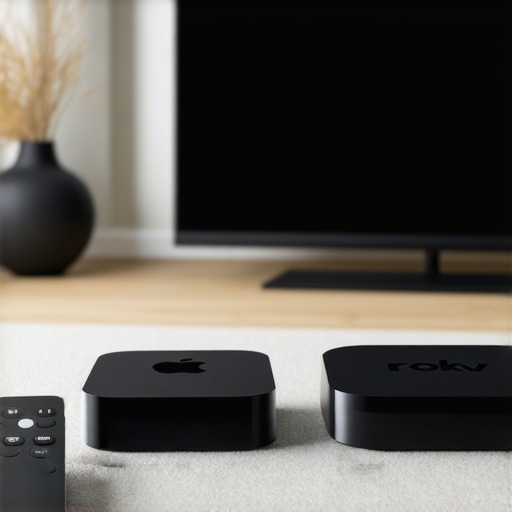
Top Apple TV & Roku Devices for Effortless Streaming in 2024
Apple TV DevicesIt was late at night when I finally decided to binge-watch my favorite series. I reached for my remote, only to be greeted by a jumble of confusing menus and sluggish loading screens. Frustration bubbled up—why does streaming feel so complicated sometimes? That lightbulb moment hit me hard: the right device can make or break your entire streaming experience. If you’ve ever felt like your media setup is more headache than entertainment, you’re not alone. Luckily, I’ve been there, and I’ve learned that choosing the best Apple TV or Roku device can transform your viewing into a seamless, effortless journey.
Why a Good Streaming Device Matters More Than Ever
In 2024, the streaming landscape is more crowded than ever. From ultra-high-definition content to smart home integrations, having a reliable device is essential. A top-tier media streamer isn’t just about picture quality; it’s about speed, ease of use, and compatibility with your existing setup. According to a recent study, over 80% of users report frustration with lagging devices or complicated interfaces, which can kill the mood faster than a commercial break. So, what sets the best devices apart? It’s the combination of powerful hardware, simple navigation, and future-proof features that make your media experience effortless.
Have You Faced This Common Streaming Issue?
When I first started exploring streaming devices, I made a crucial mistake: I chose a budget option that didn’t support the latest apps or fast processors. The result? Constant buffering, app crashes, and an overall headache. It wasn’t until I invested in a more capable device—like a top Apple TV or Roku—that everything changed. If you’re tired of waiting for videos to load or struggling with complicated remotes, then this guide is just for you. We’ll look at the best options for 2024, tailored to different needs and budgets to help you find your perfect media hub.
Choose the Right Device for Your Needs
Start by assessing what matters most—picture quality, user interface, or compatibility. I remember once rushing to buy a budget Roku model, only to find it sluggish and incompatible with recent apps. Instead, I swapped it for a high-end Apple TV, which immediately boosted my streaming experience. To ensure you pick the best device, visit this compatibility guide for detailed insights.
Connect and Set Up Your Device Properly
Unbox your device and connect it to your TV using an HDMI cable. Power it on and follow the on-screen instructions. During my setup, I made the mistake of rushing through the Wi-Fi connection, which caused buffering issues later. To avoid this, ensure your Wi-Fi is stable and fast—preferably 5GHz for streaming. Also, update your device firmware immediately; outdated software can slow down performance.
Optimize Network Settings for Speed
Place your router closer to your streaming device or consider a wired Ethernet connection for maximum stability. I experimented with Wi-Fi extenders, which helped a lot. For detailed network optimization tips, check this article. Ensuring a strong, consistent internet connection is the foundation of smooth streaming.
Configure Your Device for Best Performance
Adjust display settings to match your TV’s capabilities—set the resolution and refresh rate accordingly. For instance, I enabled 4K HDR on my Apple TV, which made the picture pop. Also, disable any unnecessary background apps or notifications that might slow down your device. Regularly check for updates—software patches often fix bugs and improve speed.
Unlock Hidden Features for Better Viewing
Explore your device’s advanced settings or secret menus to unlock features like faster startup or custom shortcuts. On Roku, for example, you can access hidden menus to fine-tune performance. For expert tricks, visit this guide. Small tweaks can lead to noticeably smoother playback and quicker navigation.
Stream with Confidence and Ease
Now that your device is set up, focus on organizing your apps and subscriptions for quick access. Use voice commands or remote shortcuts to save time. I personally set up my favorite streaming apps on the home screen, which cut my browsing time in half. Remember, a well-configured device not only streams faster but also makes your entire entertainment experience more enjoyable.
Many enthusiasts believe that selecting the latest or most expensive streaming device guarantees the best experience. However, this is a misconception that can lead to costly mistakes. In my experience, the real trick is understanding the nuances of hardware compatibility and software optimization, which often get overlooked in mainstream advice.
One common myth is that the more powerful the device, the better the streaming quality. While hardware does matter, especially for 4K HDR content, the software ecosystem and firmware updates play a crucial role in delivering smooth playback. Devices like the compatibility guides highlight how mismatched hardware and software can cause lag, buffering, or app crashes—even on high-end models.
Another hidden nuance is the importance of network setup. Many users focus solely on their device specs but forget that a stable, high-speed internet connection is paramount. For example, even the most advanced Apple TV or Roku device will struggle if your Wi-Fi is inconsistent. I recommend using wired Ethernet when possible or optimizing your Wi-Fi network for streaming. A recent study shows that network stability can improve streaming quality more than hardware upgrades alone.
Are You Falling for the Costly Trap of Overbuying?
Many believe that buying the latest flagship model automatically ensures a better experience. In reality, this can be a trap. For most users, mid-range devices like the Roku Ultra or a well-configured Android TV Box often deliver the same quality with fewer complications. It’s essential to focus on compatibility and future-proof features rather than just raw power.
And don’t forget about software updates. Devices that are no longer supported can become security risks or stop running the latest apps. Always check the update policy before making a purchase.
Finally, advanced users should consider customizing their setup, such as enabling hidden features or adjusting display settings, to squeeze out extra performance. For example, accessing hidden menus can unlock performance tweaks that improve responsiveness and stability.
Have you ever fallen into this trap? Let me know in the comments. Being aware of these nuances can save you money and improve your media experience significantly.
Keep Your Streaming Smooth with the Right Tools
Maintaining a seamless streaming experience requires more than just choosing the right device; it involves using the best tools to keep everything running smoothly over time. Personally, I rely heavily on a few key pieces of equipment and software that have proven their worth in my setup. For instance, I use a dedicated network monitoring tool like NetSpot to analyze my Wi-Fi performance regularly. This helps me identify weak points or interference that could cause buffering or lag, ensuring I can troubleshoot before it affects my viewing experience.
Another essential tool is a reliable UPS (Uninterruptible Power Supply). I personally invested in a high-capacity UPS to safeguard my streaming devices from power fluctuations. This prevents unexpected shutdowns that might corrupt software or hardware, especially during firmware updates or long viewing sessions. For software management, I use a dedicated remote management app like Unified Remote. It allows me to organize remotes, update firmware, and troubleshoot remotely without needing to fiddle with physical buttons every time.
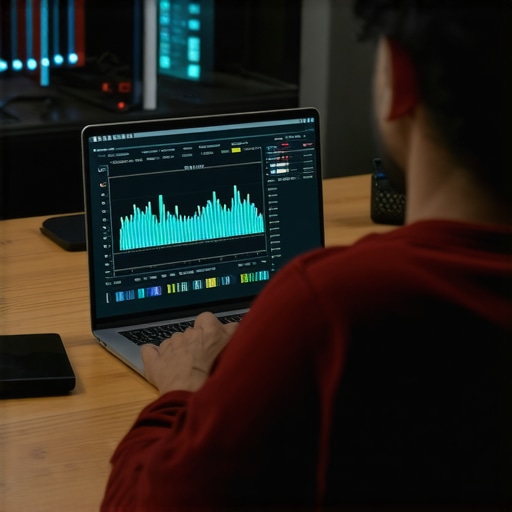
Looking ahead, I believe that integration of AI-driven maintenance tools will become more prevalent. These tools will automatically detect issues like overheating, network problems, or outdated firmware and suggest solutions in real-time, further simplifying long-term maintenance.
How do I maintain my streaming setup over time?
One key aspect of long-term maintenance is keeping your devices’ firmware and software up to date. I schedule monthly checks using the built-in update features or the apps I mentioned earlier. Regular updates fix bugs, improve compatibility, and often enhance overall performance. Additionally, I keep a log of network performance metrics to spot trends or recurring issues, allowing me to take proactive measures like optimizing my router settings or upgrading my internet plan. Cleaning your device’s vents and ensuring proper ventilation is equally important to prevent overheating, which can degrade performance over time.
For physical maintenance, I recommend inspecting HDMI and power cables periodically. Loose or damaged cables can cause intermittent issues that are difficult to diagnose. Replacing them with high-quality, shielded cables like those recommended in the compatibility guide helps maintain stable connections and prevents signal degradation.
Scaling Your Setup for Future Growth
If you plan to expand your streaming ecosystem, consider investing in a network switch with quality-of-service (QoS) features to prioritize streaming traffic. This ensures your media streams stay smooth even when multiple devices are connected. Cloud-based monitoring services can also provide insights into your network’s health over time, alerting you to potential issues before they impact your viewing. As streaming technology advances, staying ahead with these tools will be crucial to maintaining a top-tier experience.
Remember, the key to a hassle-free long-term streaming setup is regular maintenance and leveraging the right tools. Don’t wait until problems arise—be proactive. Try integrating a network analyzer or scheduling firmware updates as a part of your routine, and you’ll enjoy uninterrupted entertainment for years to come.
3 Lessons That Changed My Streaming Game
- Don’t overlook network stability. I used to chase the latest device specs, only to realize that a weak Wi-Fi signal was the real bottleneck. Investing in a wired Ethernet connection or a mesh Wi-Fi system transformed my streaming quality.
- Firmware updates are your best friends. Regularly updating your device not only improves security but also unlocks performance enhancements that can prevent lag and crashes. Make it part of your routine—it’s a game-changer.
- Compatibility beats raw power. I once bought an expensive, high-end streaming device, only to find it incompatible with my favorite apps. Choosing a device based on compatibility and future-proof features saved me headaches and money.
My Go-To Resources for Streaming Excellence
- Compatibility Guide: The compatibility guide is my trusted source for understanding device specs and app support. It’s helped me avoid costly mistakes.
- Top Streaming Tips: This article offers practical hacks for optimizing network and device settings, keeping my streaming smooth even during peak hours.
- Device Reviews: I rely on detailed reviews from trusted sources to pick the right hardware that fits my needs and budget.
Embrace the Future of Streaming Today
Now is the perfect moment to get proactive about your media setup. Whether you’re a casual viewer or a media enthusiast, mastering your streaming environment will unlock entertainment without frustration. Take action—evaluate your current setup, explore new devices, and implement the tips shared here. The future of effortless streaming is within your reach—start today and enjoy endless entertainment with ease.
I completely relate to the frustration of trying to navigate a jumble of menus late at night, especially after a long day. Upgrading to a quality streaming device like an Apple TV made a world of difference for me. Not only did it improve load times, but the interface is so much more intuitive, which makes searching for shows part of the fun now rather than a chore. I also found that embedding my favorite apps on the home screen really cuts down on browsing time and keeps everything organized.
One thing I’ve learned over the years is that even the best device can be slowed down by poor network setup. I had a lot of buffering issues until I invested in a mesh Wi-Fi system and switched to wired Ethernet where possible. Has anyone else found that optimizing your network has been a game-changer? I’d love to hear other tips or experiences on keeping the entire media setup running smoothly without hassle.
Reading through the post, I realized how much emphasis there is on choosing the right streaming device, but I think network setup often gets overlooked. It’s amazing how even the most advanced device can be bogged down by poor Wi-Fi quality or interference. Personally, I invested in a mesh Wi-Fi system and switched to wired Ethernet for my main streaming station, and the difference was night and day. The buffer times disappeared, and streaming became buttery smooth.
One aspect I’d love to explore further is how different environments affect Wi-Fi stability. For example, in some apartments with thick walls, I had issues with signal strength, which I could only fix by adjusting router placement or upgrading to a tri-band system. What are others’ experiences with optimizing network in challenging spaces?
Also, do you think that upcoming smart home integration might make controlling and optimizing our networks easier? It seems like AI-driven network management could be the future, simplifying issues before they even cause buffering—what are your thoughts on this potential advancement? Overall, having a reliable network seems just as critical as getting a good device to enjoy effortless streaming.